Convert bank statement PDF to CSV format securely using local AI
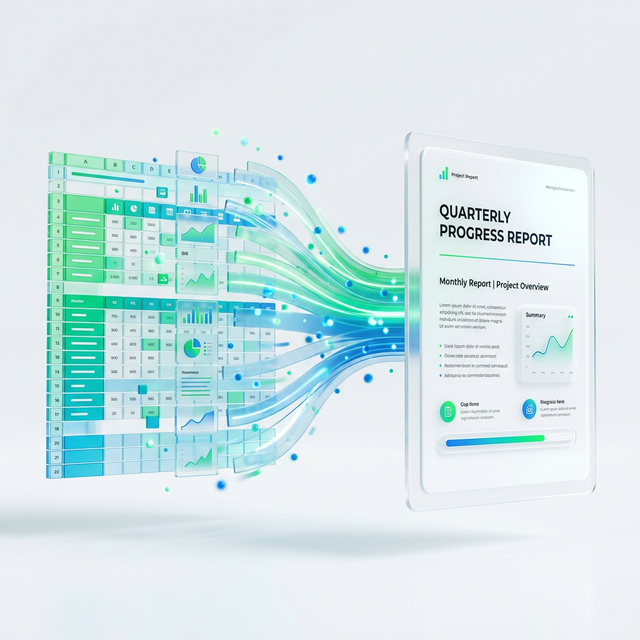
Unlock Your Financial Data Convert Bank Statements to CSV Securely with Local AI
Managing your financial data can feel like a constant battle. Bank statements arrive as PDFs, packed with vital information. Extracting this data for budgeting, accounting, or tax preparation often involves tedious manual entry. This process is not only time-consuming and error-prone but also raises serious security concerns when using generic online converters. Imagine a solution that automates this entire process, safely and efficiently. That solution is here: secure local AI. It processes your sensitive financial information directly on your device, ensuring your privacy remains absolutely intact.
For individuals and businesses alike, the manual grind of data entry is a significant drain on resources. Accountants dread sifting through pages of transactions, typing each one into a spreadsheet. Businesses need accurate, timely financial data for critical decisions, but errors easily creep into manual processes. Every minute spent on data entry is a minute lost for strategic planning or client engagement. The dream of spreadsheets filling themselves with perfect accuracy is now a reality, powered by intelligent, on-device AI.
The alternative, uploading your bank statements to generic online PDF-to-CSV converters, presents a whole new set of dangers. Your financial history, transaction details, and personal identifiers are highly sensitive. Entrusting this information to unknown third-party servers is a massive risk. Data breaches are common, and once your data is on someone else's server, you lose control over its security and usage. You need a solution that prioritizes your privacy above all else, keeping your sensitive financial records away from potential online threats.
Enter local AI. This cutting-edge technology performs all data extraction and conversion directly on your computer or device. No data leaves your machine. Your privacy is paramount. This means your bank statements never touch external cloud servers, eliminating the risk of unauthorized access during the conversion process. After an initial setup, many local AI tools can even operate offline, offering an unprecedented level of security and control over your financial data. This represents true data sovereignty for your most sensitive documents.
So, how does this intelligent local AI work its magic? It employs advanced Optical Character Recognition (OCR) technology, but with a significant upgrade. Unlike basic OCR, local AI doesn't just recognize text; it understands context. It "reads" your PDF bank statement much like a human would, identifying transaction dates, descriptions, amounts, and balances. It then intelligently structures this raw data into a clean, organized CSV file. Crucially, it's smart enough to adapt to the varied layouts of different bank statements, consistently delivering accurate results without human intervention.
Unrivaled security forms the core benefit of this approach. Your bank account numbers, individual transaction details, and all other personal financial information remain entirely on your device throughout the conversion. The entire process executes locally. This means no cloud servers store your sensitive documents, even temporarily. This complete on-device processing environment eliminates many of the major security risks associated with cloud-based data handling, offering you complete peace of mind.
The benefits extend widely, touching both individuals and businesses. For personal finance, budgeting becomes incredibly easier. You can track spending effortlessly, categorize transactions, and gain a clear picture of your financial health. For small businesses, reconciling accounts becomes a breeze. Accountants save countless hours previously spent on manual data entry. Tax preparation simplifies dramatically, with all necessary transaction data readily available. This also greatly improves financial analysis, as you can seamlessly transform your financial records from PDF to Excel spreadsheets for deeper insights and automated reporting.
The process itself is remarkably straightforward. You simply upload your PDF bank statement to the local AI tool on your computer. The AI instantly begins processing the document, working efficiently in the background. Within moments, you receive a perfectly formatted CSV file, ready for download. You can then open this file in any spreadsheet software, import it into your accounting software, or use it for financial analysis. It is an intuitive and incredibly easy workflow designed for maximum user convenience.
Local AI goes beyond simple file conversion. It offers a deeper understanding of your financial documents. It can identify patterns, categorize transactions, and even flag unusual spending habits, transforming raw data into actionable insights. This capability is powered by advanced AI PDF data extraction, which intelligently pulls specific pieces of information from complex documents. You get more than just a converted file; you gain a powerful financial analysis assistant right at your fingertips.
Legal Note
Important Disclaimer. This tool automates data extraction from PDF bank statements. While local AI strives for the highest accuracy, we always recommend you cross-reference the generated CSV data with your original PDF statement. This ensures complete financial integrity. For any critical financial decisions, always consult with a qualified financial professional. The AI is a powerful aid, but human review remains an essential component of responsible financial management.
Security and Peace of Mind
Your financial privacy is non-negotiable. With local AI, you benefit from robust, on-device processing. This guarantees your sensitive financial data never leaves your computer and never touches external servers. This fundamental design provides unparalleled peace of mind when handling and converting highly confidential bank statements. You maintain full control over your data environment, safeguarding your financial information against external threats.
Pro Tips
- Always use high-quality PDF scans of your bank statements for the best and most accurate conversion results.
- Thoroughly review the generated CSV data after conversion to catch any potential discrepancies.
- Regularly back up your converted CSV files to prevent data loss.
- Explore other PDFjin tools for a full suite of document management solutions.
- Protect your original PDF bank statements with strong passwords before and after conversion.
Stop the endless struggle of manual data entry and say goodbye to the privacy risks of generic online converters. Embrace the secure, efficient future of financial data management. Local AI offers a revolutionary way to handle your bank statements, giving you control, accuracy, and unparalleled security. Experience the power of intelligent, on-device data conversion. Try PDFjin's free tools today and unlock deeper insights into your financial world.